Rules Hub
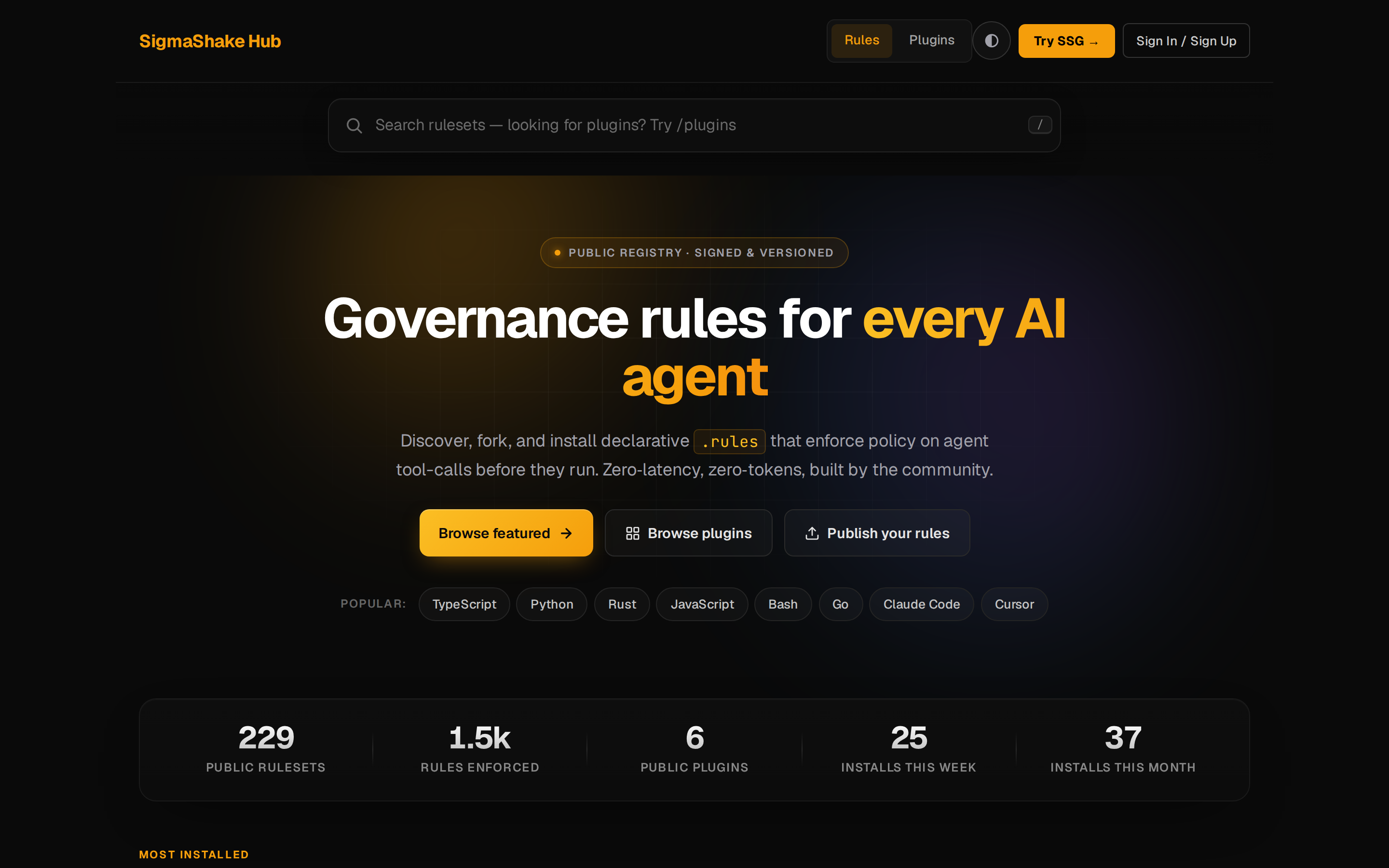
The SigmaShake Rules Hub at hub.sigmashake.com is a public registry of .rules governance files.
Features
- Browse community-contributed rulesets by technology (TypeScript, Python, Go, etc.)
- Search rules by keyword using BM25 full-text search
- Download rulesets directly into your project
- Submit your own rules via
ssg publish, MCP tool, or GitHub OAuth - Auto-sync — rulesets re-sync from GitHub weekly
Browse and install community governance rulesets at hub.sigmashake.com — every ruleset is signed, versioned, and searchable:
Using Hub rules
Installing from hub.sigmashake.com
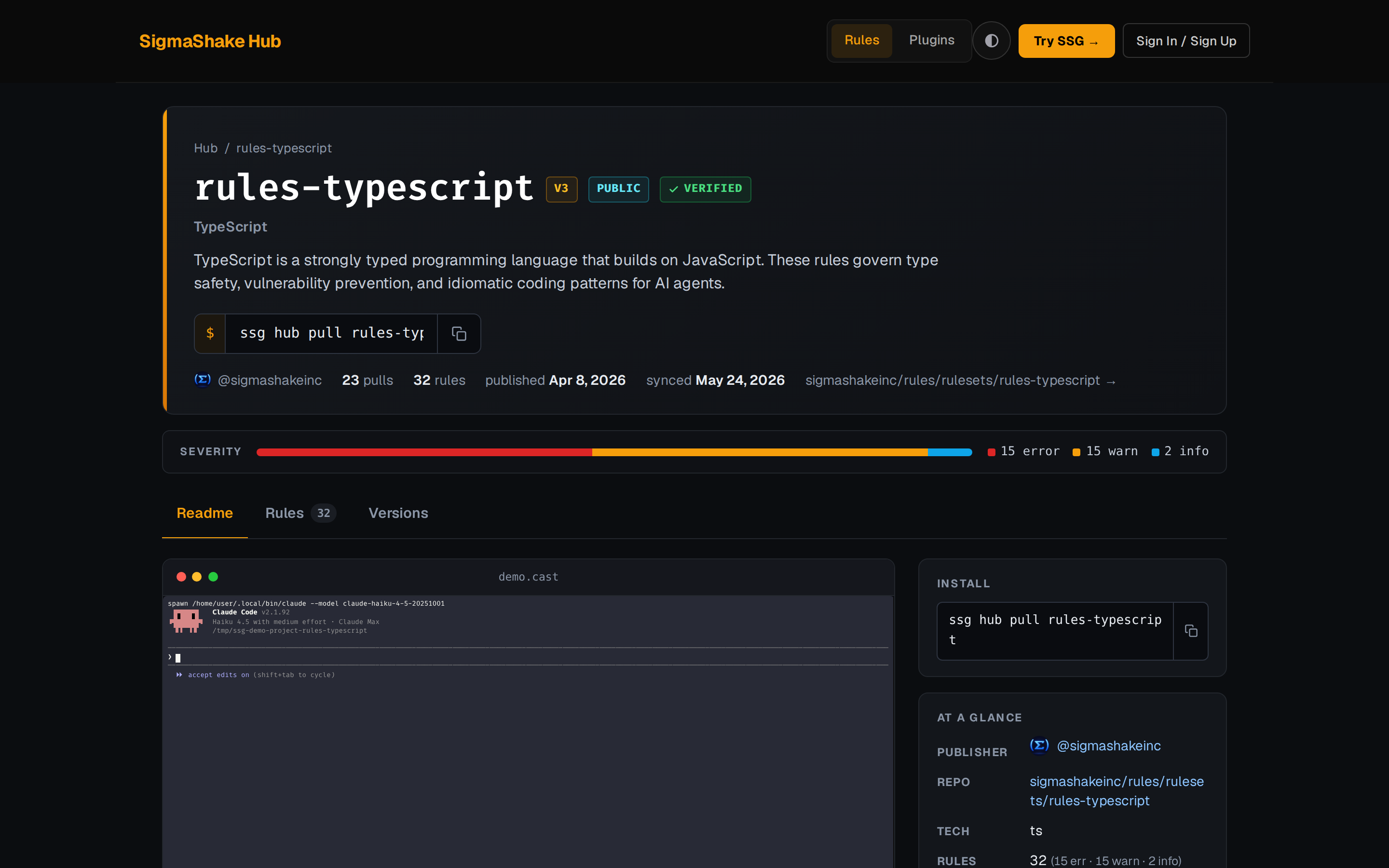
Each ruleset detail page shows the install command and a clipboard copy button:
- Visit hub.sigmashake.com and find a ruleset
- Click Copy install command on the ruleset detail page
- Paste and run in your terminal:
ssg hub pull <ruleset-id>
Rules are written to .sigmashake/rules/ automatically. No login required to copy the command.
ssg dashboard /hub page
The ssg serve dashboard includes a full /hub page at http://localhost:5599/hub with:
- Filter chips — filter by decision (DENY/ASK/FORCE), severity (error/warn/info), and rule count range
- Tech + sort dropdowns — filter by technology, sort by downloads, newest, rules count, or last updated
- Ruleset cards — colored badges, download count, version, certified indicator
- Detail pages —
/hub/:idshows the full ruleset with collapsible raw.rulessource
Install via ssg hub pull (with integrity verification)
ssg hub pull <ruleset-id>
Downloads the ruleset, verifies its SHA-256 content hash, then writes .rules files to .sigmashake/rules/. The ruleset ID is the UUID in the hub URL.
ssg hub pull 550e8400-e29b-41d4-a716-446655440000
# Verifying integrity... OK (sha256:4a9f3c1b8e2d7f05...)
# Installed: TypeScript v3

ssg sync   # load rules into the engine
Sync from Hub
ssg sync
Pulls rules from the Hub API into your local SQLite database.
Publishing rules
There are five ways to publish. See the Publishing Guide for full details.
Option 1 — ssg publish (recommended, <1 min)
# First install the CLI with the homepage binary installer — see /getting-started
gh auth login             # authenticate GitHub CLI (one-time)
cd your-project
ssg publish               # create repo + push rules + open hub
Option 2 — ssg dashboard (no CLI needed)
With ssg serve running, go to http://localhost:5599/hub/publish:
- Connect via GitHub (uses
gh auth tokenautomatically, or Device Flow if noghCLI) - Enter your GitHub repo URL and rules path
- Click Publish — submits directly to the hub API
Option 3 — MCP tool (AI agents)
AI agents can publish programmatically via the sigmashake_hub_submit MCP tool:
{
  "name": "sigmashake_hub_submit",
  "arguments": {
    "repo_url": "https://github.com/alice/rules-typescript",
    "github_token": "ghp_xxxxxxxxxxxxxxxxxxxx"
  }
}
See MCP Server for setup instructions.
Option 4 — REST API
curl -X POST https://hub.sigmashake.com/api/submit \
  -H "Authorization: Bearer ghp_xxxx" \
  -H "Content-Type: application/json" \
  -d '{"repo": "https://github.com/alice/rules-typescript"}'
Option 5 — Manual form
- Go to hub.sigmashake.com/submit
- Click Manual submit tab
- Sign in with GitHub and fill in the form
API
| Endpoint | Method | Description |
|---|---|---|
/api/rulesets | GET | Paginated JSON ruleset listing |
/api/rulesets/:id | GET | Single ruleset with all rules |
/api/search?q=keyword&format=json | GET | Search rulesets |
/api/technologies | GET | List all technologies |
/api/submit | POST | Submit ruleset (Bearer token auth) |
/api/downloads/:id | POST | Increment download counter |
/api/health | GET | Health check |
AI agent context
The hub exposes machine-readable discovery files:
GET /llms.txt— plain-text API reference for LLMsGET /robots.txt— endpoint listing for crawlersGET /api/openapi.json— OpenAPI 3.1 spec
Case Study: Claude Code Source Code Leak (March 31, 2026)
In March 2026, Claude Code's TypeScript source code was inadvertently exposed via JavaScript source maps. The root cause: "sourceMap": true in tsconfig.json. When this setting is enabled, the TypeScript compiler emits .map files alongside production JavaScript bundles. These source map files map compiled output back to the original TypeScript source — making private code fully reconstructable by anyone who can access the bundle.
The rules-typescript ruleset on the Hub includes a rule that blocks any AI agent from enabling source maps in production configuration:
ssg hub pull rules-typescript
The no-sourcemap-in-tsconfig rule (in ts_write_config.rules) fires at severity error whenever an agent attempts to write "sourceMap": true to any tsconfig.json or tsconfig.*.json file:
rule no-sourcemap-in-tsconfig {
  enabled true
  priority 95
  severity error
  DENY write
  IF path GLOB "**/tsconfig.json"
     AND content LINE_REGEX "\"sourceMap\"\\s*:\\s*true"
  MESSAGE "sourceMap: true exposes your TypeScript source via .map files..."
}
This is the kind of silent configuration mistake that AI agents are particularly prone to — and exactly what governance rules are designed to prevent.
Private rulesets
The Hub supports two private ruleset patterns:
Install from your own private GitHub repo
Pull .rules files directly from any private GitHub repository — no hub account needed:
ssg install github.com/my-org/my-rules
ssg install github.com/my-org/my-rules@v1.2.0
Requires ssg auth login and the repo OAuth scope (ssg auth refresh if you logged in before this was required). See Installing from a Private GitHub Repo for full details.
Hub-private rulesets for teams (Pro/Enterprise)
Create an organization on the hub, publish private rulesets visible only to members, and manage access via the CLI:
ssg orgs create my-team --name "My Team"
ssg push --private --org my-team --name company-policies
ssg hub pull company-policies   # as an org member
Non-members receive a 404 — there is no information leakage about the ruleset's existence.
See Organizations & Private Rulesets for the full walkthrough.
Security & Trust
The hub implements SHA-256 content hash verification for every ruleset. See Security & Trust for the full threat model, mitigation details, and security roadmap.