Let your agent write rules
By the end of this tutorial, your agent has written or edited a .rules file, you've verified it with ssg lint, synced it to the running daemon, and enforcement is back on — all inside a time-boxed window instead of an open-ended one.
ssg mode changes enforcement only — not licensingSwitching mode to soft, audit, or off pauses how strictly rules are enforced. It does not touch the $5/month entitlement that gates every value surface — an unlicensed install stays gated regardless of mode. It also isn't a workaround for anything: while mode is off, your agent is genuinely ungoverned for that window, which is exactly why every example below uses --for to auto-re-arm.
Hand this to your AI agent
I want you to author or edit .rules files in this project. Governance rules
would normally block or ask about some of the edits you're about to make, so
do this in order:

1. Pause enforcement for a bounded window, not indefinitely:
   ssg mode soft --for=15m --reason="agent authoring rules"
   This downgrades block-decisions to ask and ask-decisions to log for 15
   minutes, then automatically re-arms to normal enforcement. Do not use
   `ssg mode off` unless I explicitly tell you to — off means no rule runs
   at all during the window, not just a softer one.

2. Write or edit the .rules file(s) in .sigmashake/rules/.

3. Validate syntax:
   ssg lint

4. Reconcile the file(s) into the running daemon's database:
   ssg rule sync

5. Put enforcement back to normal immediately (don't wait for the timer):
   ssg mode on

6. Confirm the new rule is active:
   ssg rule list
   ssg mode

Report back: what you changed, the lint result, and the final mode.
What your agent will do
- Open a short, bounded enforcement window instead of disabling governance entirely.
- Write or edit
.rulesfiles following the field/operator reference. - Lint and sync the change into the live daemon (no restart needed — the daemon hot-reloads on file mtime).
- Re-arm enforcement to
onwhen it's done, rather than leaving the window open.
What you should do yourself: review the diff of any new or edited .rules file before trusting it, the same way you'd review any other AI-authored code change — a rule that's too broad can silently allow something you meant to block.
Step by step
1. Understand ssg mode
ssg mode --help
One-shot governance mode switches. Writes ~/.sigmashake/mode-state.json,
which the daemon's evaluator mtime-watches, so flips take effect on the
next tool call without a daemon restart. Bare `ssg mode` prints the
current effective mode.

  on    — normal evaluation (default).
  soft  — non-blocking: block→ask, ask→log.
  audit — keep matching, downgrade enforcement to logs.
  off   — short-circuit to allow before any rule runs.
For letting an agent author rules, soft is almost always the right choice: risky actions still surface as an approval prompt instead of failing silently, and observation-only actions get logged instead of pausing you. Reach for audit if you just want to watch what would have matched without any prompts at all. Reserve off for cases where you specifically need zero rule evaluation — for example, bootstrapping a brand-new project where even the safety-baseline rules would get in the way before you've written your first rule.
2. Open a bounded window
ssg mode soft --for=15m --reason="agent authoring rules"
--for accepts 30s, 15m, 1h, 2d — after that duration, mode automatically re-arms to on, so a forgotten window doesn't leave you unguarded indefinitely. --reason attaches a note to the state file for your own audit trail.
ssg audit --reason … is a mode switch, not a search filterssg audit has the same --for and --reason flags, and when they are the only flags given it dispatches to the audit-mode toggle — so ssg audit --reason deny quietly downgrades enforcement to logs on your machine, with "deny" recorded as the reason. To search the audit log, use the real filters: ssg audit --decision block, ssg audit --tool Bash --since 24h, ssg audit --query "<text>", or ssg blocked for recent blocks. If you (or your agent) ever see mode flip unexpectedly, run ssg mode to check and ssg mode on to re-arm.
If you're bootstrapping a brand-new project with zero rules yet, ssg init --profile=observe is the equivalent starting posture for a fresh scaffold — everything logs, nothing blocks, until you promote it.
3. Write the rule
Rules live in .sigmashake/rules/*.rules. A minimal example that denies an unapproved shell pattern:
rule block-unsafe-shell {
  enabled true
  priority 100
  severity error
  DENY execution
  IF command CONTAINS "curl | sh"
  OR command CONTAINS "curl | bash"
  MESSAGE "Piping a remote script straight into a shell is blocked. Download and review it first."
}
See Writing Rules for design principles (specific over broad, priority for exceptions, LOG before DENY when rolling out something new) and Rule Syntax for the full field/operator reference.
4. Lint before you trust it
ssg lint
Bare ssg lint scans the project rules directory recursively and reports parse errors and native-compatibility warnings — it exits 1 on any parse failure, so it's safe to gate on in a script.
5. Sync into the running daemon
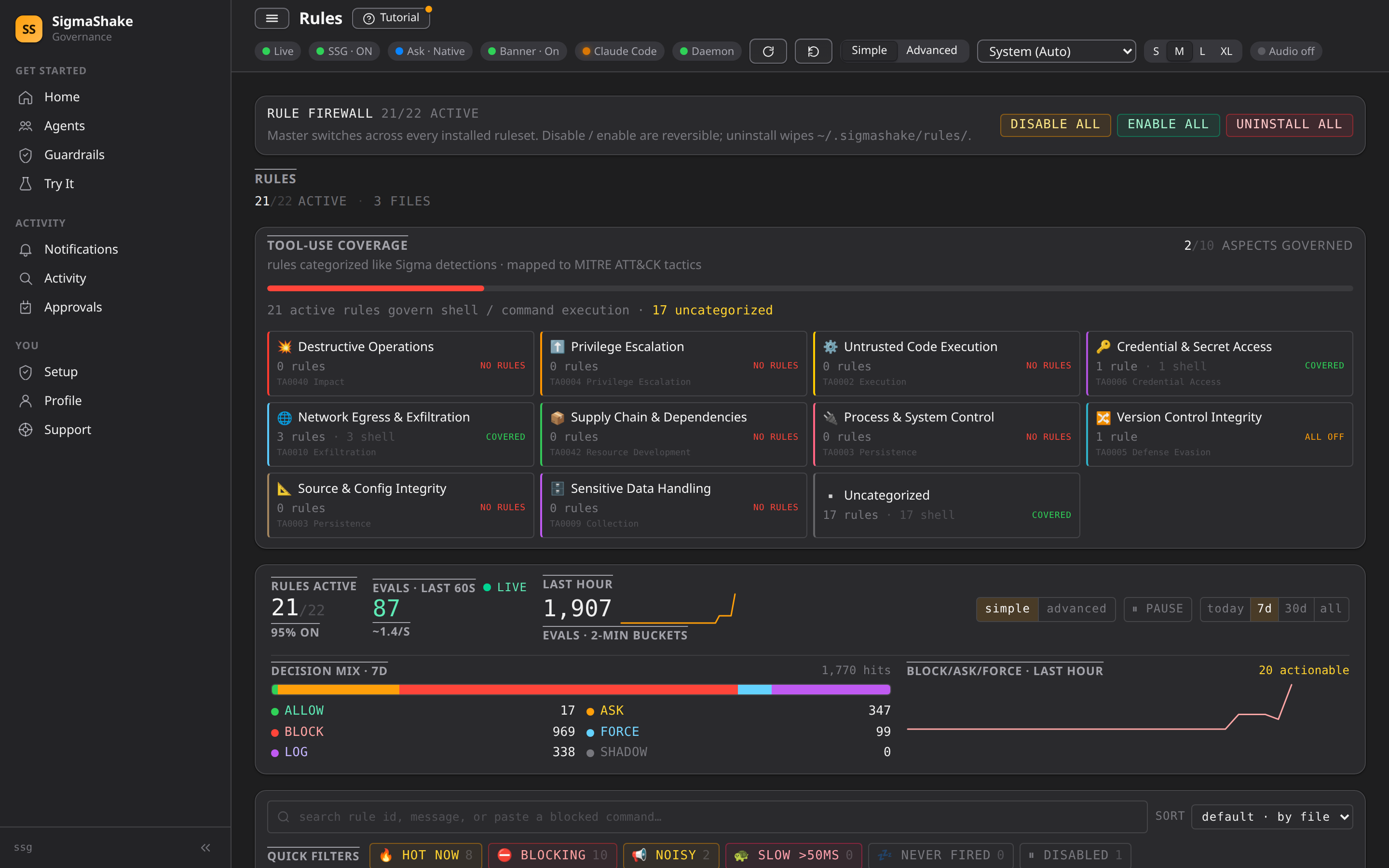
ssg rule sync
Reconciles .rules files on disk into the SQLite rules database the daemon actually evaluates against — upserts changed rules and prunes ones removed from disk. The daemon also mtime-watches the files directly, but running sync explicitly after a batch of agent edits is the reliable way to confirm the write landed before you move on.
6. Turn enforcement back on
ssg mode on
Don't rely on the --for timer alone if you're actively watching the session — flip it back explicitly the moment the agent is done, so there's no gap where you forgot the window was still open.
Verify
ssg mode
Bare ssg mode prints the current effective mode:
SSG: ON
Confirm the rule itself landed and is active:
ssg rule list
Dry-run the exact tool call your new rule targets to confirm the decision without an agent actually attempting it — build the JSON payload with the specific command text your rule matches on:
ssg probe hook --tool=Bash --input='{"command":"<the command your new rule targets>"}'
This is read-only and returns the same decision the real PreToolUse hook would produce, without an agent actually attempting the command.
If something goes wrong
| Symptom | Cause | Next step |
|---|---|---|
ssg lint reports a parse error | Syntax mistake in the new .rules file | Fix the reported line; ssg lint --json gives a machine-parseable version if your agent is fixing it itself |
| Rule looks correct but doesn't fire | Not synced to the running daemon yet | ssg rule sync, then re-test with ssg probe hook |
Mode never re-armed after --for expired | The daemon wasn't running to pick up the mtime change when the timer lapsed | ssg mode to check the current state; run ssg mode on explicitly if it's still soft/audit/off |
Forgot mode was still off and something got through ungoverned | off short-circuits to allow before any rule runs, by design | Check ssg audit for what happened during the window, then tighten the workflow to always use --for next time |
| A new rule is too broad and blocks something legitimate | Rule condition matches more than intended | Narrow the IF condition, or add a higher-priority ALLOW exception rule above it — see Writing Rules |
ssg rule sync reports orphaned rules being pruned unexpectedly | A .rules file was deleted or renamed since the last sync | Confirm that was intentional; sync prunes DB rules that no longer have a matching file on disk |
Next
- Writing Rules — design principles and patterns for rules you write yourself or review from an agent.
- Rule Syntax — full field, operator, and decision reference.
- Let your AI agent install and set up SigmaShake — if you haven't finished initial setup yet.