Report a bug or get support
By the end of this tutorial you'll have filed (or previewed) a support ticket with the right diagnostics attached, and you'll know where to look first so the ticket already has the evidence a human needs.
Hand this to your AI agent
Help me file a SigmaShake support ticket about a problem I'm having. Do not
submit anything without showing me a preview first.

1. Run `ssg support --dry-run --ai --title="<short summary>" --body="<what
   I told you>" --category=issue --attach-logs --json` using a title and
   body based on what I describe below. --dry-run never sends anything —
   confirm that from the preview output before telling me it's ready.
2. Show me the preview (subject, category, body length, whether
   diagnostics are attached) and ask me to confirm before running it again
   without --dry-run.
3. Separately, run `ssg probe onboard` and `ssg status` and include a short
   summary of anything unhealthy — that context helps triage even if I
   don't attach full logs.
4. Once I confirm, re-run the exact same command without --dry-run to
   actually submit it.

Here's what I'm seeing: <describe your problem>
What your agent will do
- Build the ticket with
--dry-runfirst and show you the exact preview — nothing is sent until you've seen it. - Pull quick health context (
ssg probe onboard,ssg status) to include in the summary, without you having to remember which command to run. - Only submit for real after you explicitly confirm.
What you do yourself: describe the actual problem in your own words, and give the final go-ahead before anything is sent to SigmaShake's servers.
Step by step
1. Find the evidence first (if this is about a blocked call)
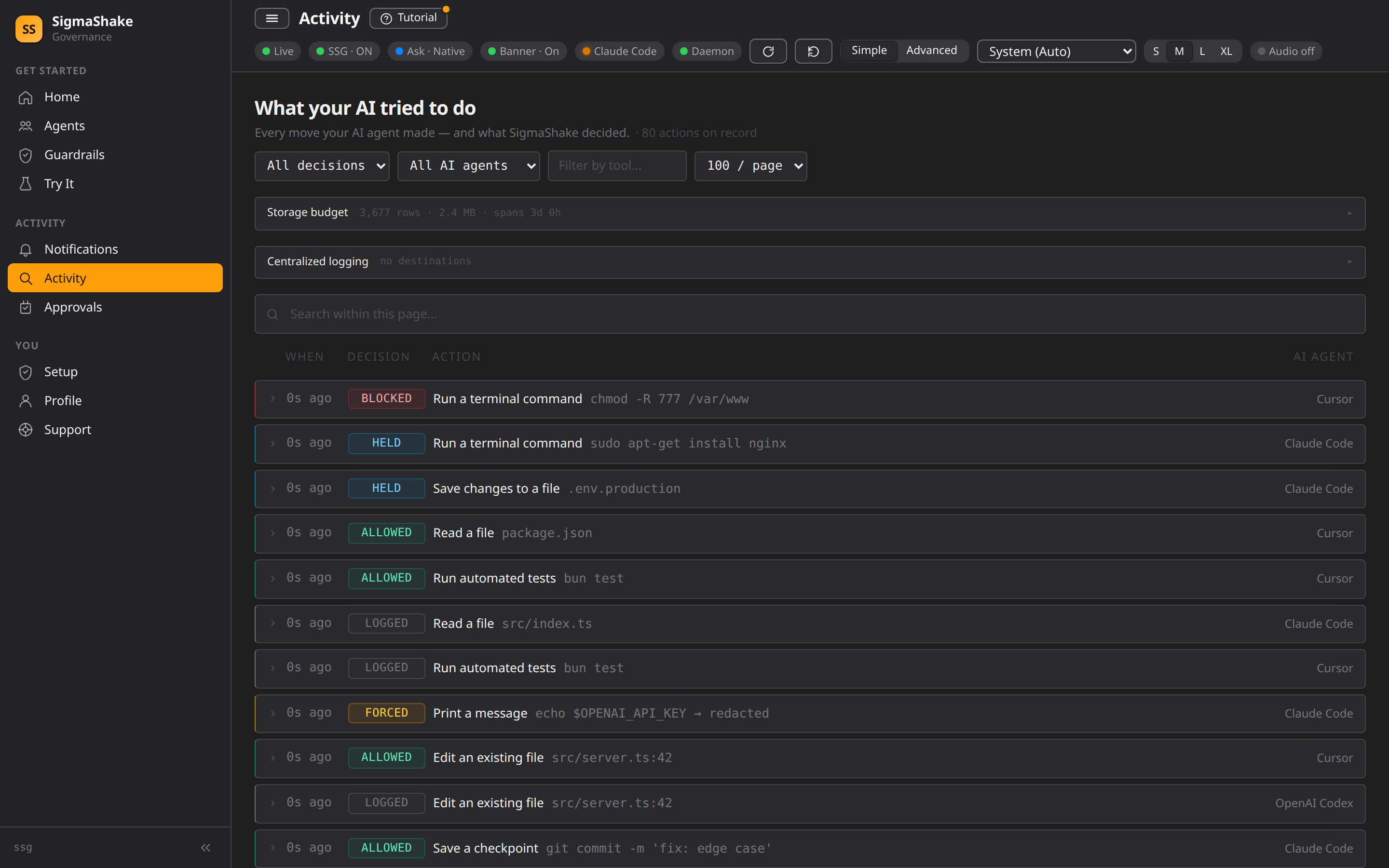
If you're reporting a rule that misfired or a call that was unexpectedly blocked, open the dashboard's Audit page (/audit) first. Filter by decision type (block/ask/force/log/shadow) or tool name, find the entry, and note its details — the rule ID and timestamp make triage much faster than a description alone.
2. Preview the ticket with --dry-run
ssg support --dry-run --ai \
  --title="Daemon crashes on startup" \
  --body="After upgrading to 1.1.5, ssg daemon exits immediately with no error." \
  --category=issue \
  --severity=p3 \
  --json
--dry-run never submits anything — it prints exactly what would be sent (subject, category, severity, body length, whether diagnostics are attached, the endpoint, and your auth status) so you can check it before committing:
{
  "auth": "present",
  "body_md_length": 42,
  "category": "question",
  "endpoint": "https://support.sigmashake.com/user/tickets",
  "has_diagnostics": false,
  "severity": "p3",
  "subject": "Test doc verification"
}
3. Understand the flags
| Flag | Meaning |
|---|---|
--ai | Non-interactive mode — all fields required as flags (there's no interactive prompt flow yet from this CLI build) |
--title | Ticket title, required in --ai mode, ≤ 200 characters |
--body | Description, required in --ai mode, 10–10,000 characters |
--category | One of incident, issue, question, feature_request (default question) |
--severity | One of p1–p4 (default p3) |
--attach-logs | Attaches redacted diagnostics + a flight-log tail (see below) |
--dry-run | Preview without submitting — no network call is made |
--json | Machine-readable output |
4. What --attach-logs actually sends
When you add --attach-logs, SSG collects and redacts before attaching:
- Version, OS, and architecture (
ssg v1.1.5 on linux/amd64) - Your install ID and machine ID (for support to correlate with your account — not personally identifying beyond that)
- A short doctor-style check list (version, license/auth state)
- The last 50 lines of your local flight log
All of it passes through a redaction step before it's attached — see Security & Trust for what SSG collects and how it's handled generally.
5. Attach broader diagnostics manually
For a harder problem, gather more context yourself and paste the relevant parts into --body, or attach them as a follow-up in the ticket thread once it's created:
ssg doctor --json          # full subsystem health check — good general-purpose attachment
ssg probe onboard          # CLI onboarding verdict: version, entitlement, daemon, dashboard
ssg status                 # quick health summary
ssg --version               # exact version string
ssg debug rca --current --markdown   # current pre-computed root-cause pack, if the daemon has one
6. Submit for real
Drop --dry-run once you've reviewed the preview:
ssg support --ai \
  --title="Daemon crashes on startup" \
  --body="After upgrading to 1.1.5, ssg daemon exits immediately with no error." \
  --category=issue \
  --severity=p3 \
  --attach-logs
You need to be authenticated (ssg auth login) to file a ticket this way — unauthenticated submissions are filed as an anonymous report with limited follow-up ability.
7. Open the support portal directly
For anything that doesn't fit a CLI ticket — screenshots, longer threads, or if you'd rather use a web form — go to support.sigmashake.com directly. Tickets filed from the CLI also land there, so you can continue the conversation in the browser afterward.
8. Enterprise / Fleet issues
If you're reporting something affecting an enrolled fleet or organization-wide policy rather than a single machine, see Fleet Support for the enterprise-specific escalation path.
Verify
ssg support --dry-run --ai --title="…" --body="…" --category=question --json
Check has_diagnostics matches whether you passed --attach-logs, and auth shows present if you expect to be signed in. Once you actually submit (without --dry-run), the CLI prints the ticket ID and URL — save that, or find it again later at support.sigmashake.com under your account.
If something goes wrong
| Symptom | Cause | Next step |
|---|---|---|
--title is required in AI/non-interactive mode | Missing --title (or --ai wasn't passed and stdin isn't a TTY) | Add --ai --title="…" --body="…" explicitly |
Authentication required to file a support ticket | Not signed in, and this isn't a --dry-run | Run ssg auth login first, or accept the ticket will be filed as anonymous with limited follow-up |
--body must be at least 10 characters | Body too short to be useful | Add real detail — reproduction steps help most |
| You don't know what's actually wrong yet | — | Run ssg doctor first — it's the most complete single diagnostic and points at likely causes before you even file |
Next
- Security & Trust — what SSG collects, how logs are redacted, and the broader trust model.
- Fleet Support — the enterprise escalation path for fleet-wide issues.
- Use the governed terminal — often the fastest place to reproduce and confirm a bug before filing.